
Even in HR, you can no longer ignore it: AI. You probably hear everywhere about the enormous benefits and time savings it can offer. And maybe you've already used it or use it regularly. But what else can you use AI for in HR?
Here we list the most important applications and benefits of AI in HR – specifically in the HR cycle and your evaluation process. 👇
Looking for prompt examples for ChatGPT? 👉 Download this template with the smartest AI prompts for HR
What exactly is AI?
AI stands for Artificial Intelligence. It consists of all systems that perform tasks we previously thought required human intelligence, such as thinking, reasoning, planning and creating. And learning: an important characteristic of AI is that it is self-learning (source: Dutch Digital Infrastructure Inspectorate).
AI is more than ChatGPT, a form of generative AI.
These self-learning systems can be anything: from robots, machines and computers to algorithms.
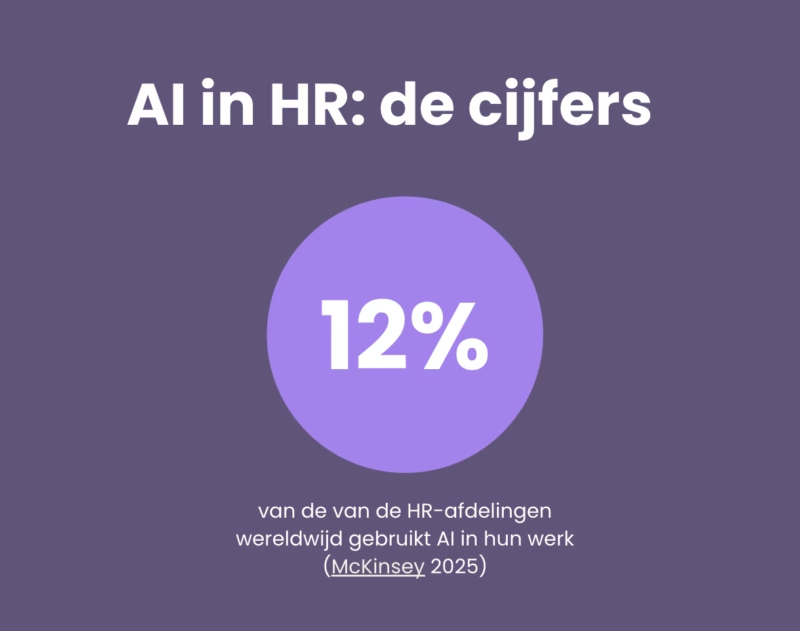
Globally, 12% of HR departments use AI in their work (McKinsey 2025) and according to Berenschot, that number in the Netherlands is currently at 8-9% of HR teams. For comparison: in marketing, the number of teams using AI is already 34%.
A shame, really, that low usage in HR.
Because there are 3 things AI systems are very good at:
- Collecting large amounts of data
- Analyzing that data all at once
- Summarizing data and recognizing trends
How can you use AI in HR? (examples)
You can use AI very effectively to help you make decisions based on objective data, including in HR.
- As long as you, as a human, determine the criteria and frameworks based on which you want AI systems to collect and analyze data for you. Since 2025, this is also required by EU law (more on that below).
Additionally, AI can save you an enormous amount of time: there are also AI systems that can create and automate.
They can take over tasks like writing job postings or sending out satisfaction surveys. 👇 There are different types of artificial intelligence.
You can use AI effectively in HR for these 4 applications:
1. Generative AI
These are AI systems that can create text, images and videos, such as ChatGPT, Claude.ai, Synthesia and Runway.
Some examples of how to apply generative AI in HR:
- Writing job postings
- Creating job profiles
- Creating support articles
- Creating support videos
- Generating onboarding videos
- Learning & Development: for creating e-learning videos
2. Large Language Models (LLMs) and Natural Language Processing (NLP)
In other words: AI chatbots like ChatGPT, but also various other 'support bots' like Siri on your phone.
Language models using AI (LLMs) are capable of understanding and producing human language. They use NLP for this: NLP is the method, LLM is the application.
In HR you can use AI language models for:
- Answering (simple) HR support questions
- Proactively measuring employee satisfaction, for example through sentiment analysis of employee satisfaction surveys and questionnaires
- Answering questions from applicants
And even: as a supplement to initial interviews in your recruitment process, for example with a two-dimensional AI avatar to which candidates can ask their most important questions about the job and organizational culture, before speaking with a recruiter.
💡 Note: you are not allowed to use AI for screening applicants and making decisions in your recruitment process, according to the EU AI Act
3. Machine Learning & Predictive Analytics
This is the application of AI as the ultimate data analyst: you first 'feed' it large amounts of data, and then AI recognizes trends and patterns in it.
And with predictive analytics, AI can even make predictions.
Examples of using AI for HR analytics:
- Analyzing results from your employee engagement survey or NPS survey
- Calculating employee turnover
- Sourcing: finding candidates for open positions
- Strategic workforce planning: predicting future staffing needs
- Creating a skill gap analysis: which skills are least represented, and in which department?
And really anything you want to know about HR analytics, as long as you ask the right question or send the right prompt.
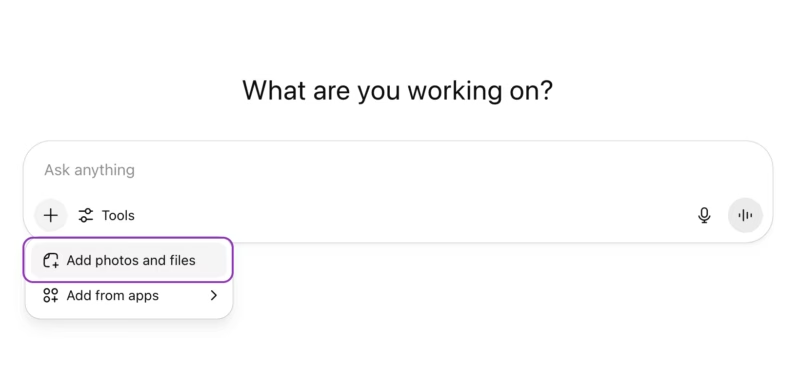
You can add attachments in ChatGPT and refer to them in your prompt 📎
4. AI Automation or Robotic Process Automation (RPA)
Finally, you can also use AI to automate processes.
You use it as an assistant that automatically performs tasks whenever a certain trigger occurs.
These are administrative or repetitive tasks, such as:
- Processing payroll
- Filling and updating personnel files
- Scheduling appointments or interviews in your calendar
Especially with this application you can save a lot of time by automating HR tasks, so you have more time for strategic activities with management and for the human side of your work.
Important tip 🤖 If you frequently use ChatGPT for the same type of prompts, it naturally takes a lot of time to re-enter them each time. You can also build a 'Custom GPT', a kind of pre-filled prompt, where you only need to adjust a few fields/variables.
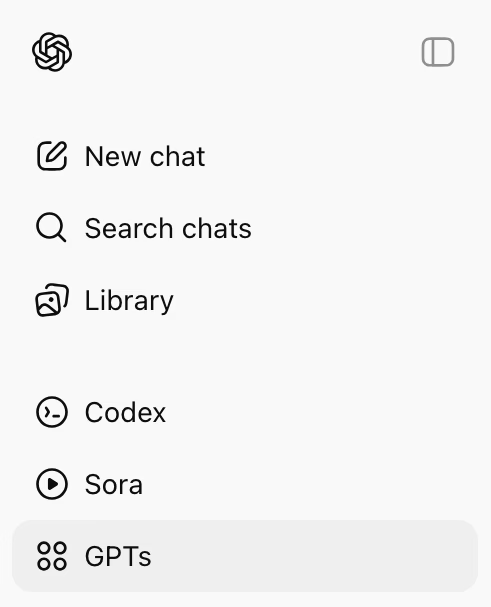
Custom GPTs can be found in the paid version of ChatGPT (in the free version you can only choose from a number of standard GPTs; you cannot fully build them yourself)
Ethical issues: privacy, inclusion and the 'AI Act'
What we must not forget when it comes to applying AI within HR are ethical matters: how do you use AI responsibly?
It has been proven multiple times that when you leave decisions entirely to AI models, they become biased – because the data that AI 'feeds on' simply has a 'bias'.
Fortunately, the EU has already addressed this, and since February 2025 the European AI Regulation has been in effect: which determines what tasks you may and may not have AI perform in your organization.
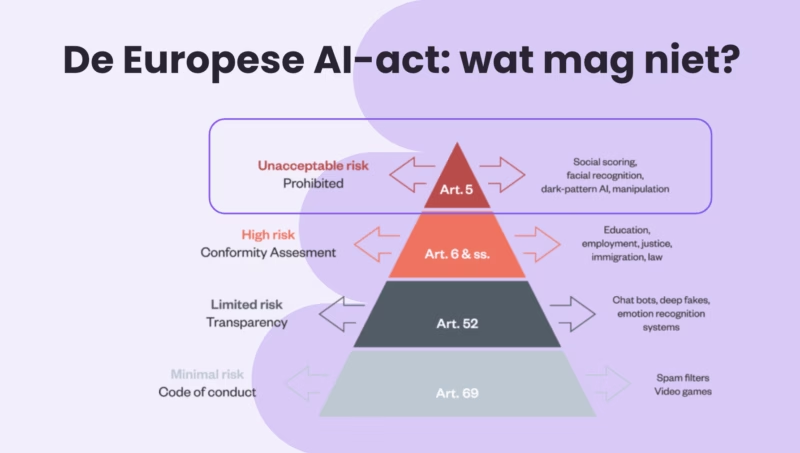
What does it mean for you?
Don't worry, the EU's AI regulation probably won't change much for your HR activities.
This is prohibited:
- Since 2025, it is forbidden to use systems or algorithms for unfair assessment of people ('social scoring') 👉 You may not leave recruitment decisions to AI systems
- Decisions about promotions, career development and compensation may also not be made by AI
Do you use chatbots and generative AI in HR? (ChatGPT falls under this)
- That's perfectly fine; you do need to document how you use AI and what the risks are in an AI impact assessment
- Ensure AI literacy and train colleagues internally on responsible use of AI
💡 Many Learning & Development tools offer courses in AI literacy.
See AI as your assistant
What all the examples of how you can use AI (and are allowed to use according to the law) make clear: use AI primarily as a handy assistant.
That means:
- Let AI systems take over simple, administrative tasks where possible (like creating a job architecture)
- And let AI help you collect and analyze data
- But set the frameworks yourself: what data do you want to collect and are you allowed to collect? What information do you want to obtain from the data?
In your evaluation process this means: you ask ChatGPT to write job profiles, but you determine which criteria to include:
👉 Do you only want to describe tasks or also include required skills?
👉 What competencies must someone possess to successfully perform that role? What KPIs should they achieve?
AI can give you suggestions, but ultimately you and HR (and the manager) make the final decision.
And this is just one example.
How else can you use AI in your HR cycle and evaluation process? 👇
Below we explain how AI can not only make your Performance Management process faster, but also help managers have better conversations and collect less biased feedback.
Using AI for an objective and efficient evaluation process (+ prompt template)
You can also use AI more specifically within HR, namely to set up your Performance Management cycle more objectively and to speed up your conversation cycle – for managers and employees.
We show 6 examples of the benefits of AI in Performance Management here.
Ready to get started? 👉 Download this prompt template with AI tips for HR
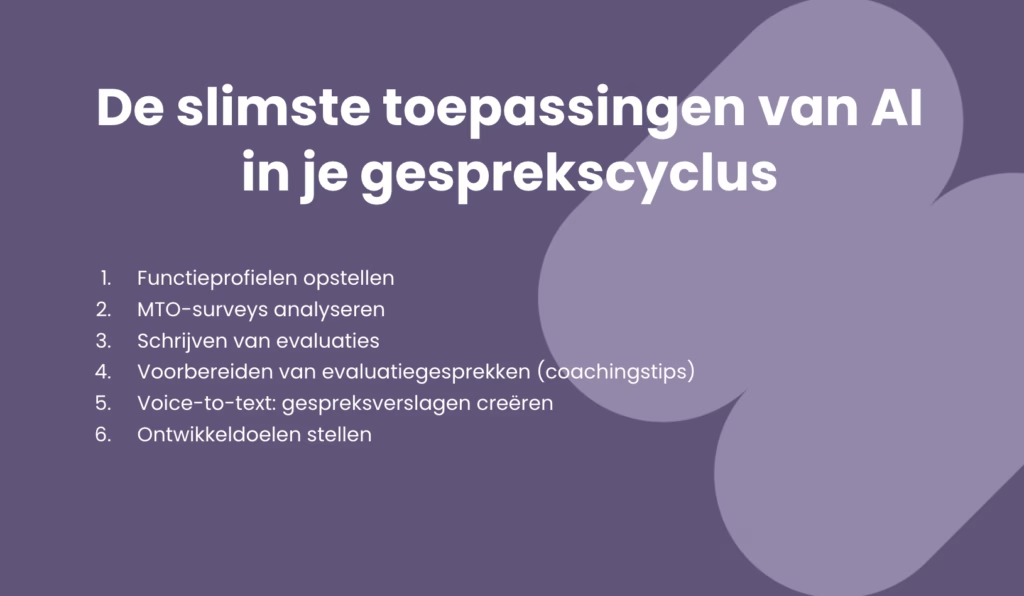
1. Creating job profiles
You can save a lot of time creating job profiles by using AI. You write the prompt, a generative AI bot like ChatGPT, Claude or Gemini does the work for you.
Important:
- Determine what structure you want to use for a job profile
- For example: do you want to include a task description, responsibilities, required skills (hard and soft skills) and the KPIs someone is evaluated on?
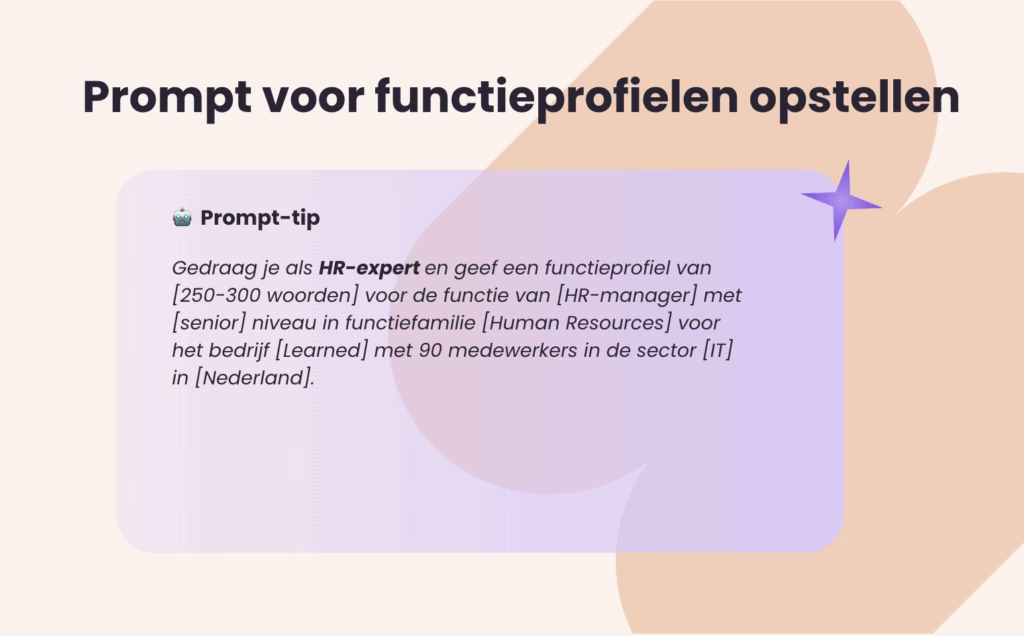
- Write a prompt as clearly as possible: the more text, the better 👇
Example of a prompt:
Curious about more extensive prompts? 👉 Download our prompt template with the smartest AI prompts for HR
🚨 Disadvantage of ChatGPT:
- Even with a perfect prompt, the result can be different each time
- You don't know what data the job profile is based on (from companies in your industry, organizations of a similar size, only from the Netherlands or from around the world?)
- Have many roles in your job architecture? Still a lot of copy-pasting
Tip 💡 In Learned you can generate 2000+ job profiles with one click using AI in our free AI-powered Job Architecture
2. Analyzing employee engagement surveys
AI is good at recognizing trends in large amounts of data. Perfect for analyzing results from employee engagement surveys (EESs).
You can upload results from your EES or satisfaction survey as a table, Excel, or CSV file into a tool like ChatGPT.
You then ask it in the prompt to draw several conclusions – for example, whether one theme stands out positively or negatively in terms of score – and what action points ChatGPT recommends to improve scores.
🚨 Disadvantages of ChatGPT:
- Privacy: in the free version of ChatGPT, you potentially share sensitive information about your organization and colleagues to further train the AI model
- For each satisfaction survey, you have to manually export – cut – paste data
- It's difficult to analyze trends over time or trends per role, level, or department
- Want to present data to colleagues or management? Then you have to create your own dashboard
You can also ask the AI tool you use to analyze your EES to compare (benchmark) the results with those of similar organizations. You just don't know exactly what data is being compared.
Tip 💡 You'll find an AI assistant that helps you analyze your EES survey, including comparing it with other organizations in your industry, in our Survey software
Privacy and ChatGPT 🔒
Be careful when entering company-sensitive or personal data into ChatGPT or other AI tools. The free version of most AI tools uses the data you enter to further train their AI models. If you don't want that, choose the paid version.
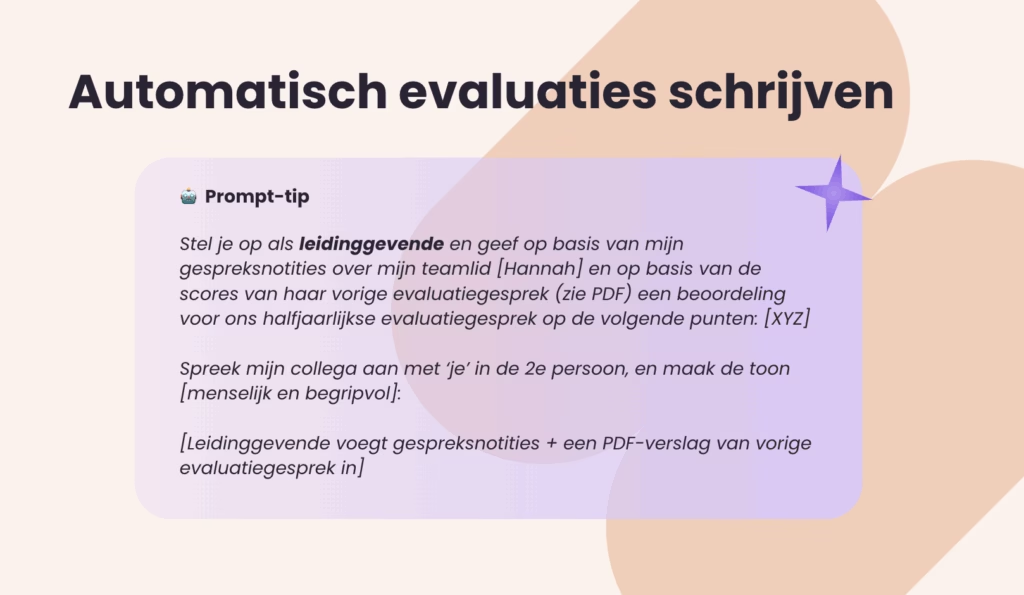
3. Automatically writing evaluations
There are plenty of generative AI tools that can write texts for you. Besides job postings or job profiles, these can also be the texts you write as explanations for evaluations.
Example of a prompt:
🚨 Disadvantage of ChatGPT
- You need to copy text separately from ChatGPT, Claude or Gemini for each evaluation question and manually paste it into your evaluation form
- You need to provide a very clear prompt to make the writing style sound human
You can also automatically fill in evaluations, based on feedback you collect throughout the year, with our HR software for evaluations
4. Preparing evaluation conversations (AI coaching tips)
Do managers come to HR for advice on how to best coach colleagues and give feedback? AI can assist you with that.
You can ask AI tools to provide coaching tips, for example to prepare a 1-on-1 meeting or even a performance review.
Curious about a more extensive prompt? Download our template with the smartest AI prompts for HR
🚨 Disadvantage of ChatGPT
- You still need to encourage managers to prepare for an evaluation conversation and gather all information.
- Privacy: is sensitive information being shared to train the AI models?
- And: you need to have clear evaluation criteria in the first place
5. Voice-to-text: creating meeting notes
This is one of the oldest applications of AI (or actually of Large Language Models): converting spoken text to words and creating a report from it.
There are all kinds of handy tools for this:
- Fireflies.ai
- Otter.ai
- Fathom
- Google Gemini
- Microsoft Copilot
You can turn on these tools, for example, during an evaluation meeting, 1-on-1 meeting or a development meeting.
Voice-to-text only needs access to audio, which is nice for privacy, but always mention that you are using a tool to take notes of your conversation.
🚨 Disadvantages of standalone tools:
- They are not integrated into your HR system, so you have to store the reports separately and manually copy-paste them to your HR software
- Check privacy: are you allowed to use audio recording tools in your organization?
- If you store the notes somewhere, you need to check if it's done securely (e.g. encrypted)
👉 Do you want to automatically create meeting reports in the HR system you already use? You can do that in Learned: you'll find the option to start audio recordings integrated in our HR software for evaluation meetings
6. Setting SMART development goals
It remains one of the most difficult things in Performance Management, for both managers and team members: setting good, concrete development goals according to the SMART method.
This is one of the applications where AI can perhaps save you the most time.
You help managers have better conversations, which they can prepare in less time. And you in HR spend less time answering managers' questions.
🚨 Disadvantage of ChatGPT
- ChatGPT doesn't have all the information to determine the best development goal (like previous evaluation conversations, feedback from 1-on-1s, development goals, criteria from the job profile)
The smartest approach…
Want to use AI really smartly in your conversation cycle, evaluation process and performance management? So you save as much time as possible and help employees have better conversations?
👉 Then make sure you integrate AI applications into the HR software you already use.
You do that with our software for objective evaluations: it contains all kinds of handy AI features – from creating a job architecture with AI and conversation tips for managers, to AI analyses for well-founded decisions about promotions, transparent rewards and strategic workforce planning. Discover Learned AI
Ontvang de nieuwste HR-tips
Krijg 1 keer per maand onze tips, e-guides en templates direct in je mail.

Related articles
Discover more about this topic